
Verify Timemark photos in seconds
Upload a Timemark photo or enter its Photo Code. We compare the time, location and picture with the record saved when the photo was taken.
Drop photos anywhere to verify
JPG or PNG, up to 10 MB each, 6 photos at a time. You can also paste a photo.
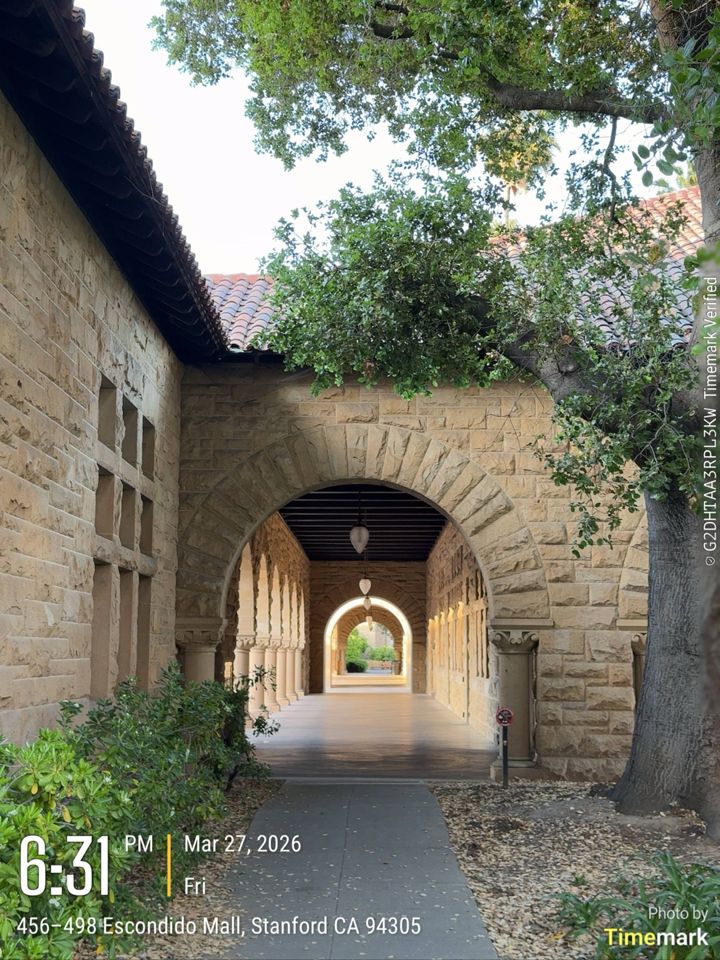
- Time & Date
- Location
- Image Analysis
How Timemark verification works
- Take the photoTimemark gets the time from the network. If someone changes the phone clock, the photo still shows the real time.
- Check the phoneIf the location is fake, the photo shows “Virtual location detected”. If the app has been changed, the photo gets no Photo Code.
- Save the recordEach Photo Code links to the real time and place, and to picture features saved on Timemark’s servers. The photo itself is not saved. If someone later changes the picture with AI or an editing app, the check can show it.
- Verify the photoUpload the photo or enter its Photo Code here. We check Time & Date, Location and Image Analysis.
What verification can and cannot show
An Authentic result shows
- The photo was taken with Timemark at the recorded time and place.
- The time and address on the photo match the original record.
- We found no changes to the picture.
Verification cannot show
- Whether the scene was real or set up for the photo.
- Photos with the Photo Code turned off, cut off or covered.
- Whether a court or insurance company will accept the photo.
Teamspace
Keep fake photos out of your team
Checking photos one by one takes time. In Teamspace, the team owner turns on “Timemark capture only” once. Then fake photos can’t get into the team, and no one needs to check each photo.
- Only photos taken in the Timemark camera can enter Teamspace.
- Photos from the gallery, a computer or other cameras can’t be uploaded.
- The owner sets it once for the whole team.
Verify photos in your own system
Want to check Timemark photos in your own app or AI tool? API and MCP access is not ready yet. Tell us what you need.
Frequently asked questions
What is Timemark?
Timemark is a free camera app for iPhone and Android. It adds the time, address and GPS location to work photos when they are taken. By default, photos also show a Photo Code, so anyone can check them here.
What does “Timemark Verified” on a photo mean?
“Timemark Verified” is printed next to the Photo Code on the side of a Timemark photo. It tells you the photo can be checked. The words alone do not prove the photo is real, so upload the photo or enter its Photo Code here to check it.
How do I verify a Timemark photo?
Upload the photo on this page, or enter its 14-character Photo Code. Timemark compares the time, location and picture with the record saved when the photo was taken. It is free and works in any web browser, with no app or account. In the Timemark app, you can also tap Verify at the top of the camera screen.
What is a Timemark Photo Code, and where do I find it?
A Photo Code is 14 letters and numbers printed along the side of a Timemark photo. It links the photo to the time, location and picture features Timemark saved when it was taken. Photo Codes are on by default and do not expire. Photos without a Photo Code, or with the code cut off or covered, can’t be verified.
How can my team send only real photos?
Use Timemark Teamspace. The team owner can set Photo Source to “Timemark capture only”, so only photos taken in the Timemark camera can enter the team.
Can someone change the time or location on a Timemark photo?
Timemark takes the time from the network, so changing the phone clock does not change the time on the photo. If the location is fake, the photo shows “Virtual location detected”. If the app has been changed, the photo gets no Photo Code. If someone changes the picture with AI or an editing app, the check fails and the result is Fake.
What do the verification results mean?
In Timemark verification, Authentic means all checks passed. Fake means one or more checks failed. Unable to Verify can mean there is no Photo Code or the photo’s data is still uploading. Not Found means Timemark has no record of that code.
Can I verify photos through an API or MCP?
Not yet. API and MCP access for Timemark Verify is not ready. Tell us what you need.